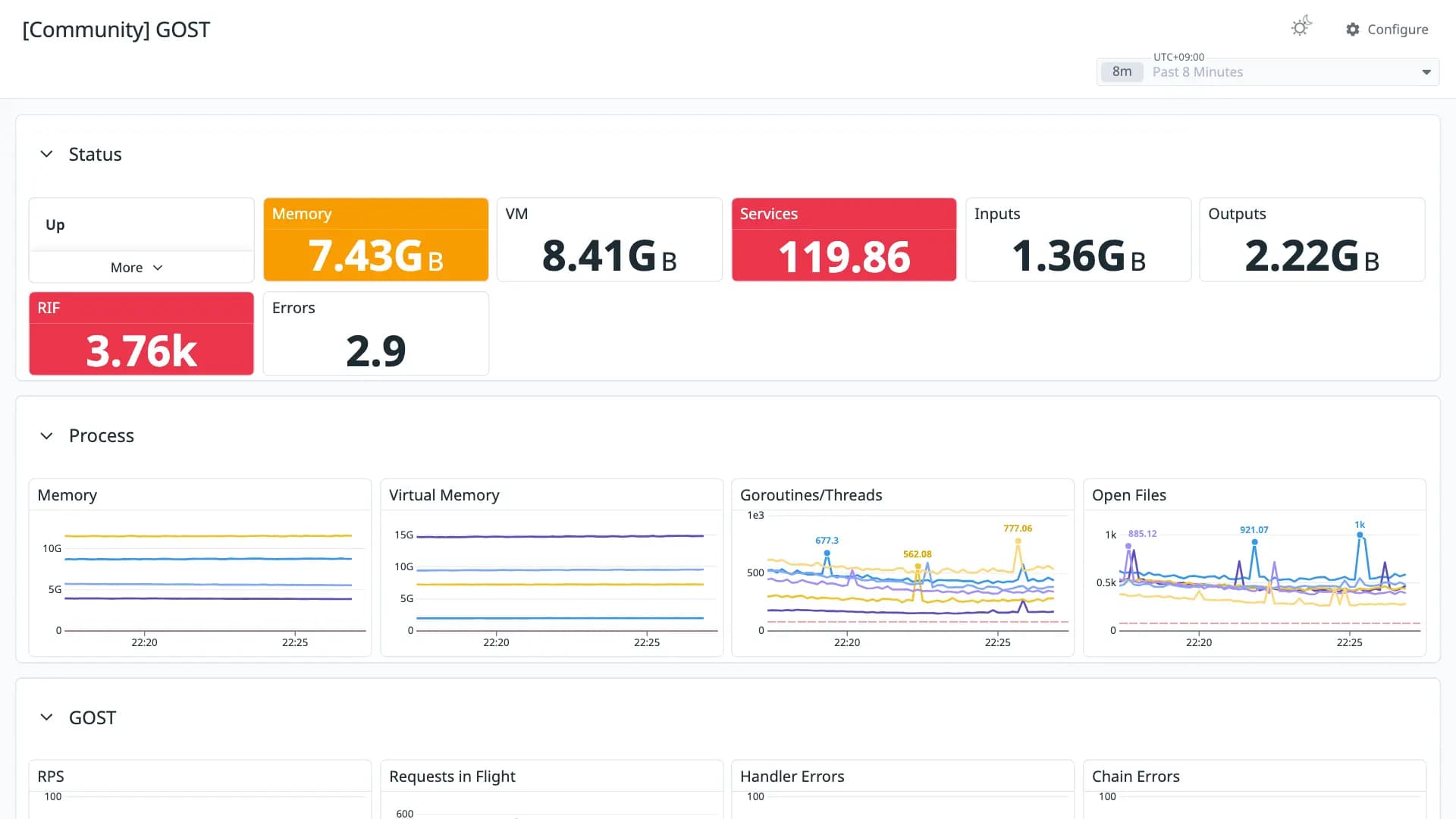
GOST
Good 940 downloads0 views0 commentsRevision 1Created Converted from Grafana dashboard #24230 by kubiakroman
How to import
In Datadog: Dashboards → New Dashboard → ⚙ Configure → Import dashboard JSON → paste this JSON.
Reactions
GOST v3 Metrics Overview
Conversion quality
Good 94Share of panels whose queries were translated without loss. Partial and unsupported panels keep the original PromQL in a note widget.
- Native0
- OpenMetrics17
- Partial0
- Unsupported1
Metrics without a native Datadog mapping
These metric names were kept in OpenMetrics naming. Adjust them if you collect with a native Datadog integration.
process_resident_memory_bytes ×2process_virtual_memory_bytes ×2gost_service_transfer_input_bytes_total ×2gost_service_transfer_output_bytes_total ×2gost_service_requests_in_flight ×2gost_service_handler_errors_total ×2gost_servicesgo_goroutinesgo_threadsprocess_max_fdsprocess_open_fdsgost_service_requests_totalgost_chain_errors_totalUnsupported panels
- Up
stat
Revisions
- Revision 1Converted from grafana.com revision 1Download JSON
Rate this dashboard
Sign in to rate.0 comments
No comments yet.